
CP-01Guard patrol with QR and NFC checkpoints
Every patrol round, recorded at the checkpoint instead of in the logbook.
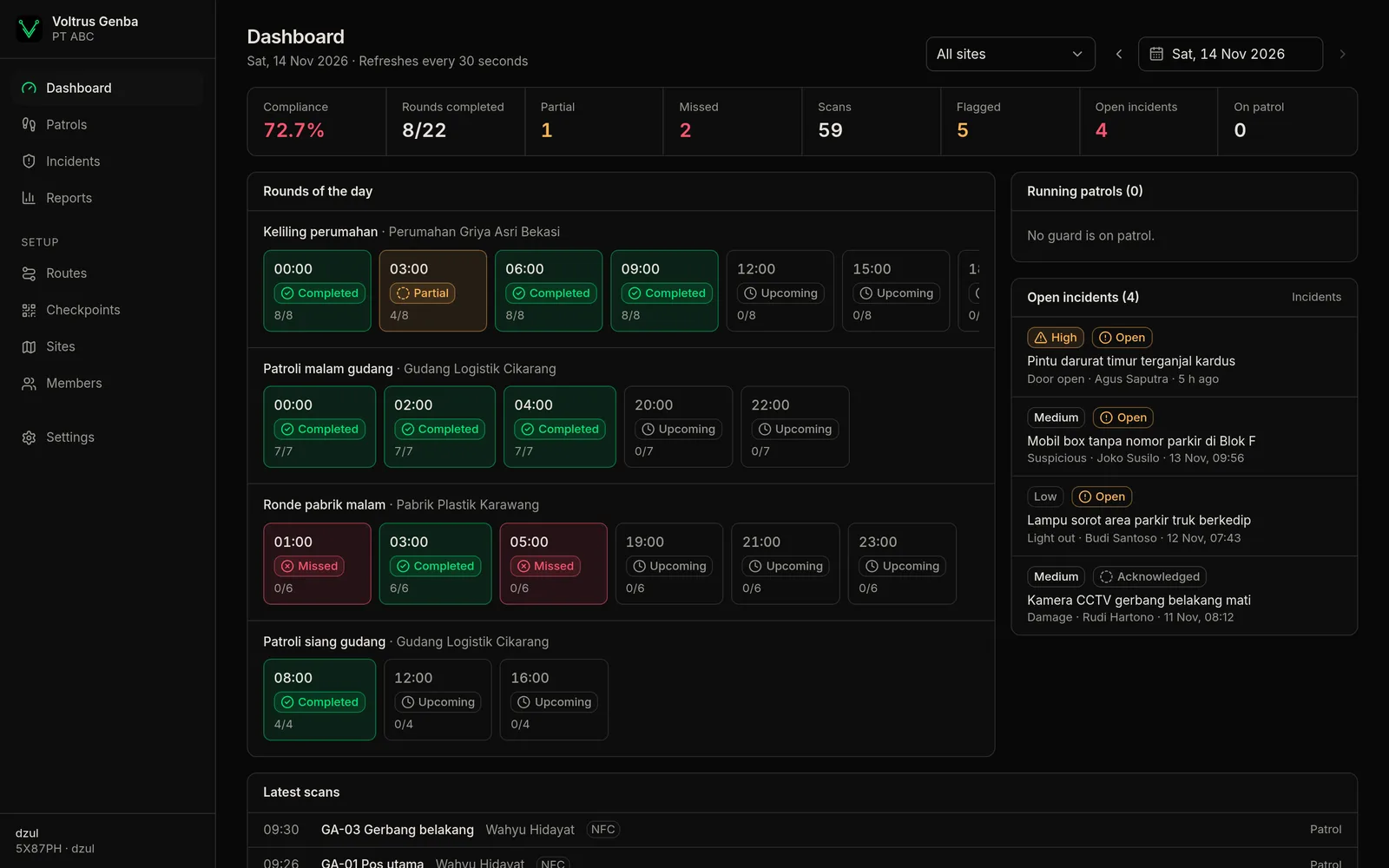
Guards scan a QR code or tap their phone on an NFC tag at each checkpoint. Supervisors see which rounds were completed, partly done or missed, as they happen.
Guard app for Android and iPhone. Admin console in the browser.
CP-02How it works
From a site plan to a compliance report
Add sites and checkpoints
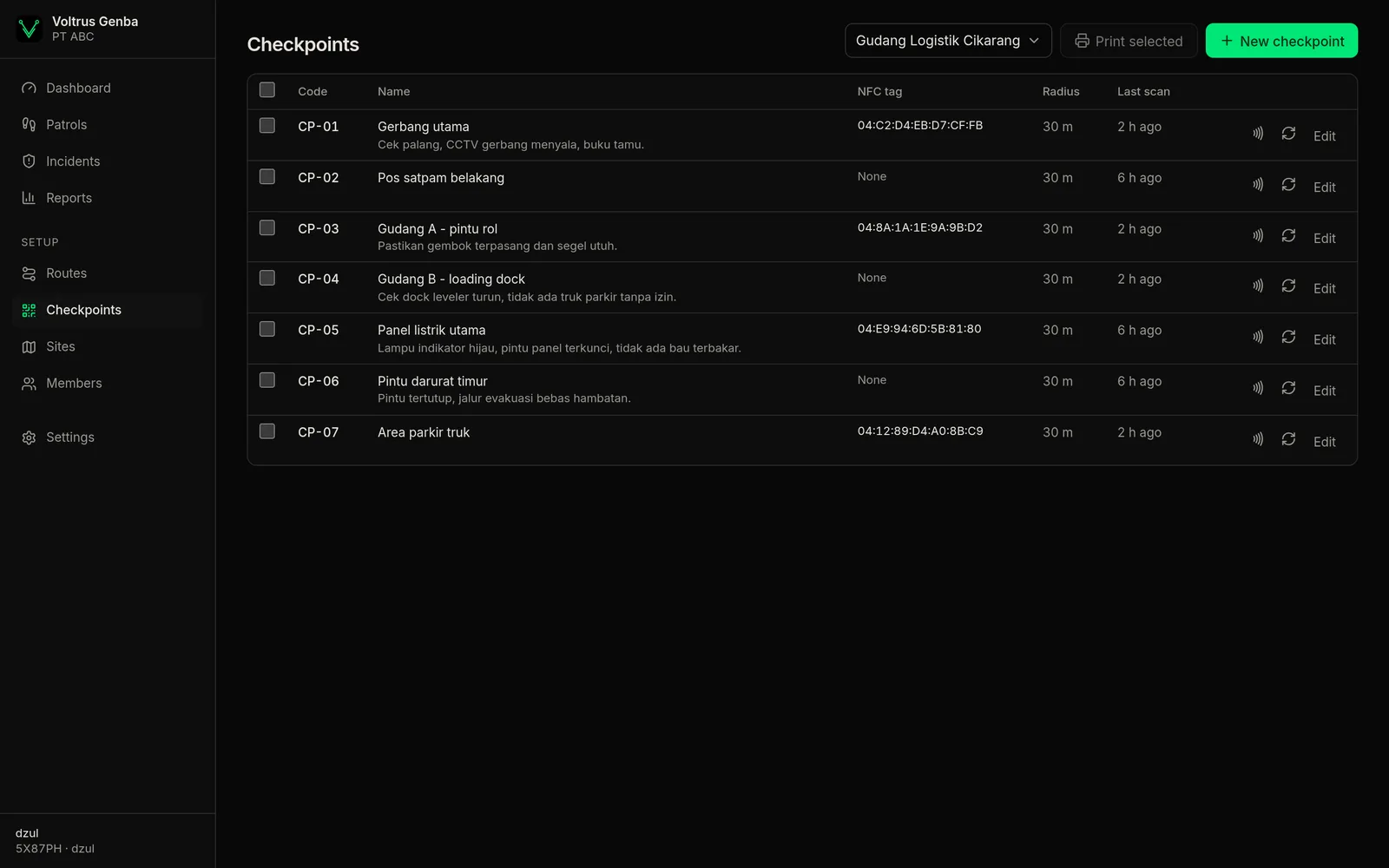
A site can have many checkpoints: the gate, the warehouse, the electrical panel, the back fence. Each checkpoint can carry instructions (for example "check the padlock and the lights") and can require a photo.
Put up QR codes or NFC tags
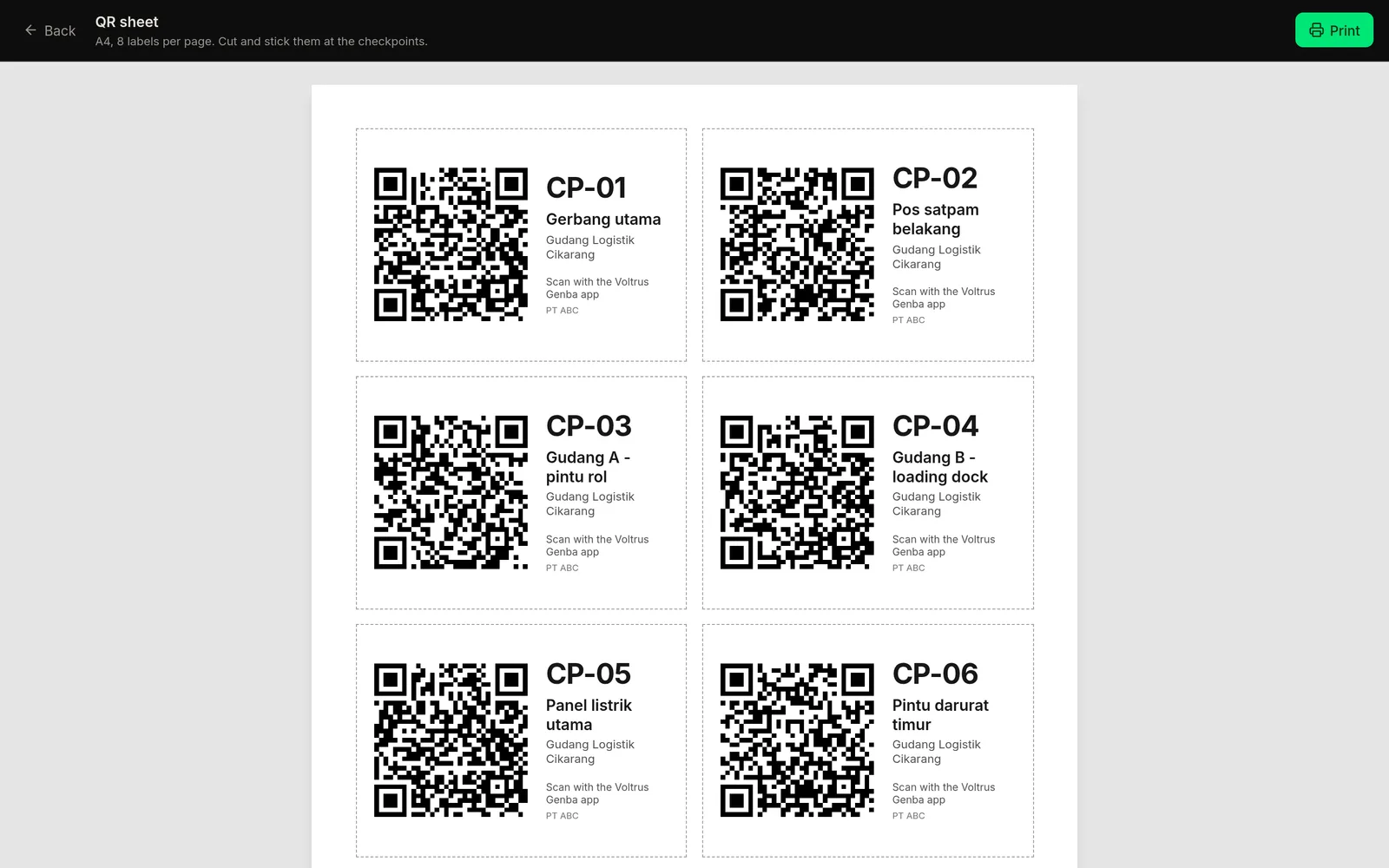
Print QR labels from the console, 8 to an A4 sheet. For NFC, a supervisor taps their phone on an NTAG sticker on site and the tag is registered to that checkpoint.
Set routes and schedules
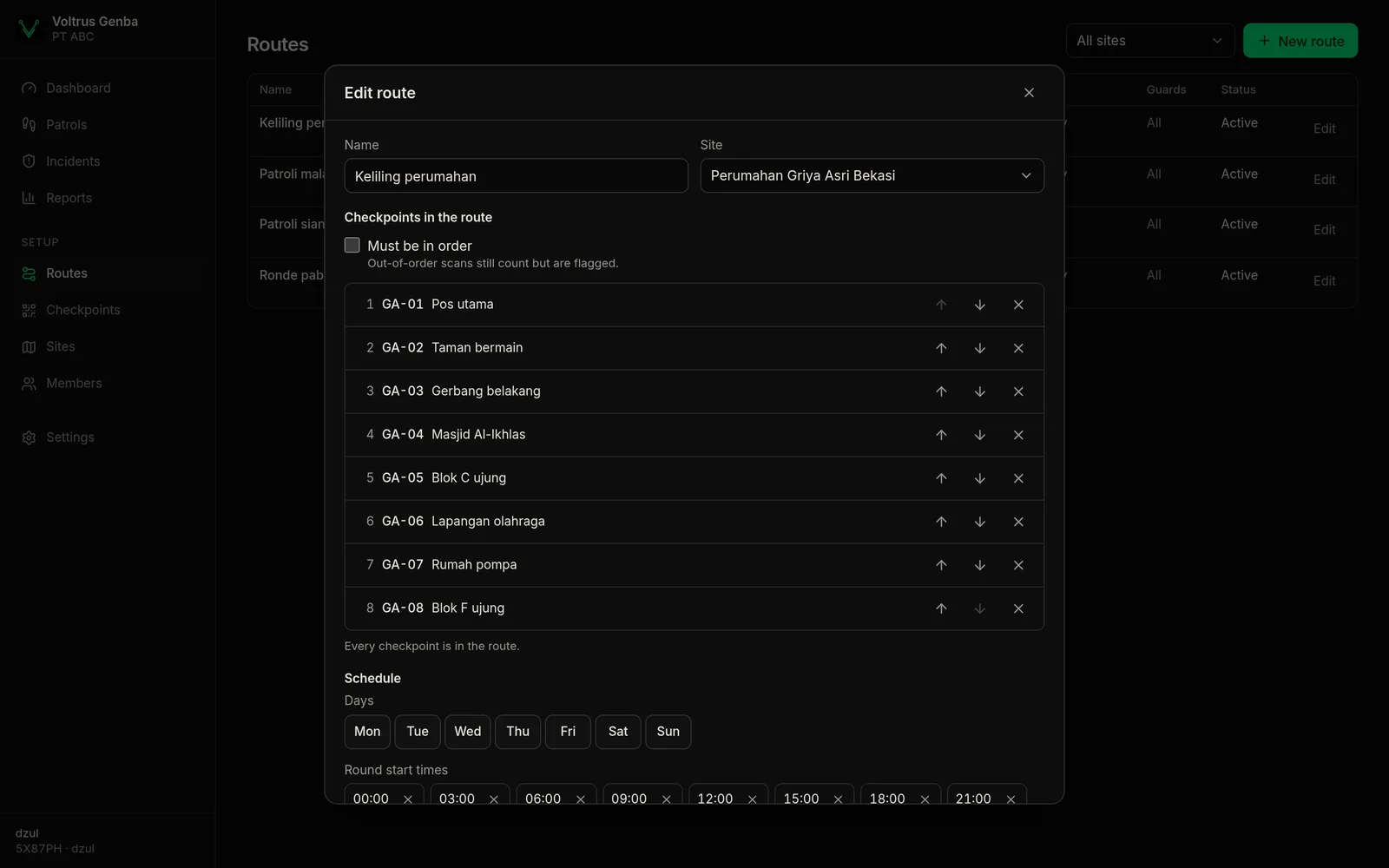
Pick the checkpoints and their order, the active weekdays, the start time of each round, how long a round may take, and the guards on duty.
Guards patrol
The app shows today's rounds. Guards scan each checkpoint; with no signal it keeps working and sends everything once the phone is back online.
Supervisors see the result
The dashboard shows the status of every round and the compliance rate. Missed or incomplete rounds are pushed as notifications to that site's supervisors.
CP-03Features
A guard app that keeps working when the signal drops
Basements, concrete warehouses and fence lines often have no signal. Every scan, photo and report is stored on the phone first and sent in order when the connection returns.
- Scan a QR code with the camera or tap an NFC tag (the NFC button only shows on phones that have NFC).
- After a scan, the guard sees that checkpoint's instructions and can add a note.
- Checkpoints that require a photo ask for one before the scan is saved.
- SOS button: hold for 2 seconds, confirm, and the location goes to the supervisors.
Today's rounds on one screen
Every round has a status: upcoming, in progress, completed, partial or missed. Compliance counts only rounds whose window has closed, so a round still under way does not pull the number down.
- Guards on patrol and the latest scans
- Incidents not yet handled
- Pick a date and a site, refreshed every 30 seconds
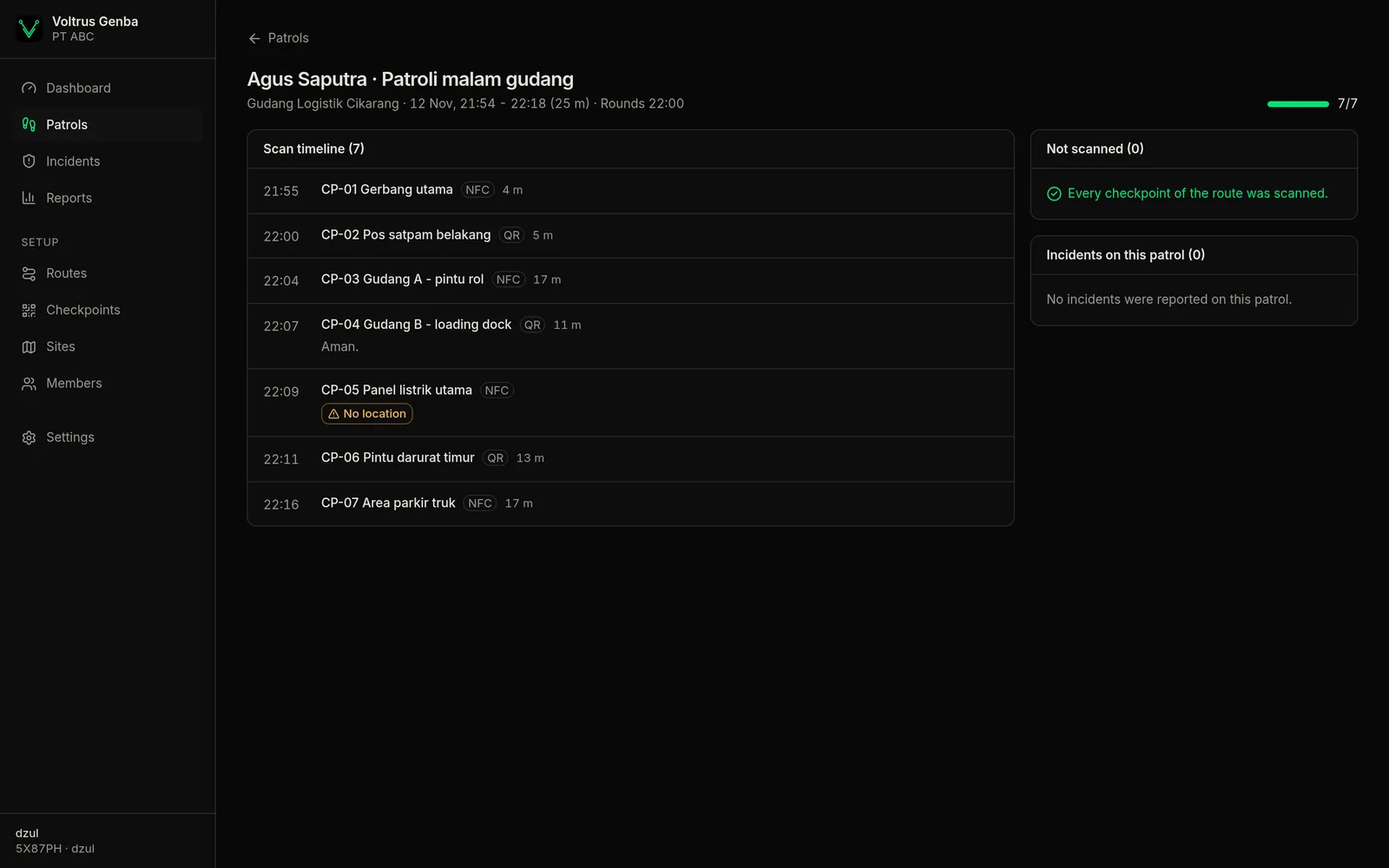
Odd scans are flagged, not hidden
Every scan still counts, but the supervisor sees the flag and makes the call.
Tag broken or missing? A supervisor can confirm a checkpoint manually from the console, with a written reason that stays on the record.
Incidents and SOS with photos and location
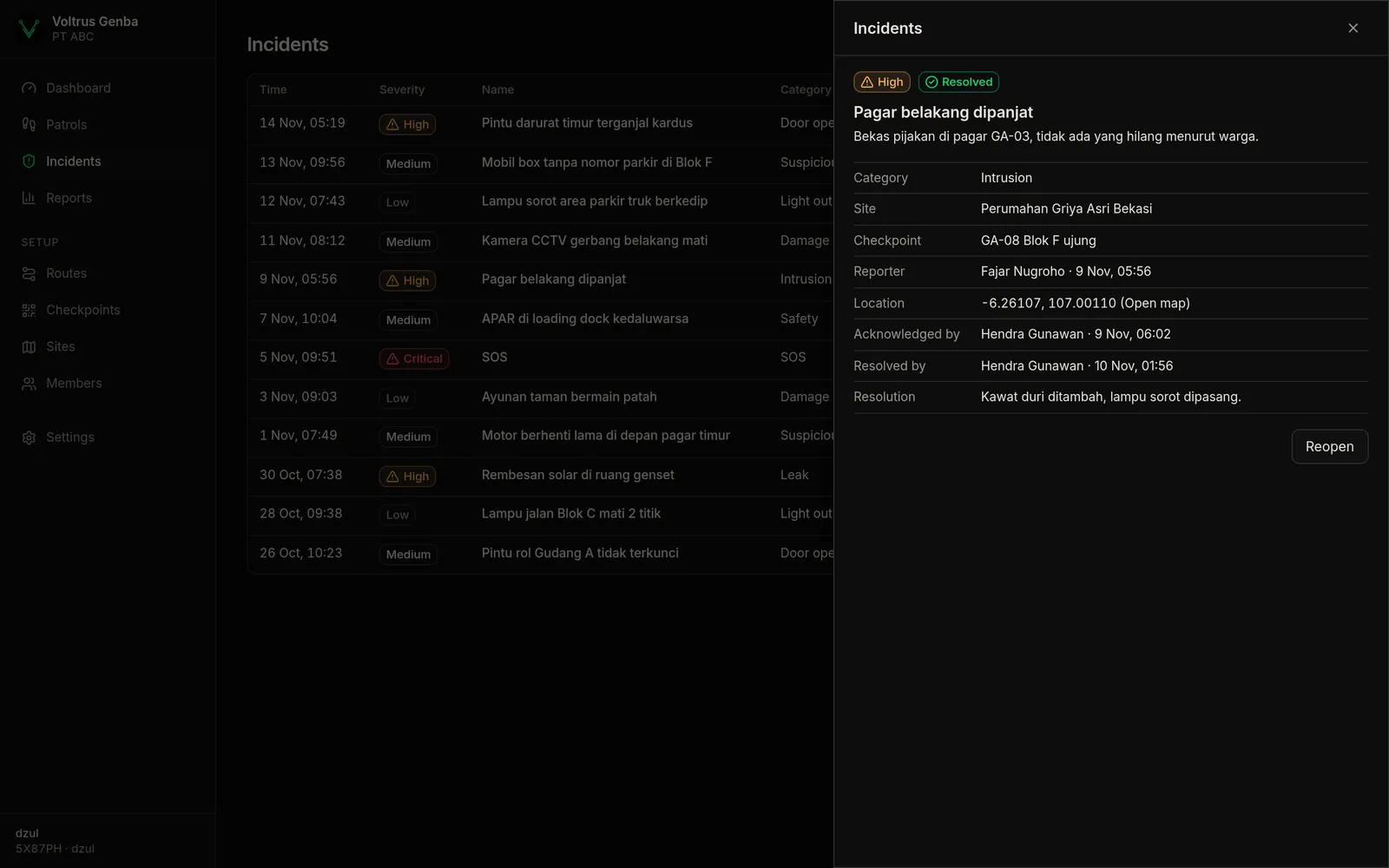
A door left unlocked, a light out, a leak, someone suspicious: the guard picks a category and a severity, writes a note and attaches up to 3 photos. High, critical and SOS incidents are pushed to the site's supervisors, who mark them acknowledged and then resolved, with a note on what was done.
Reports for clients and management
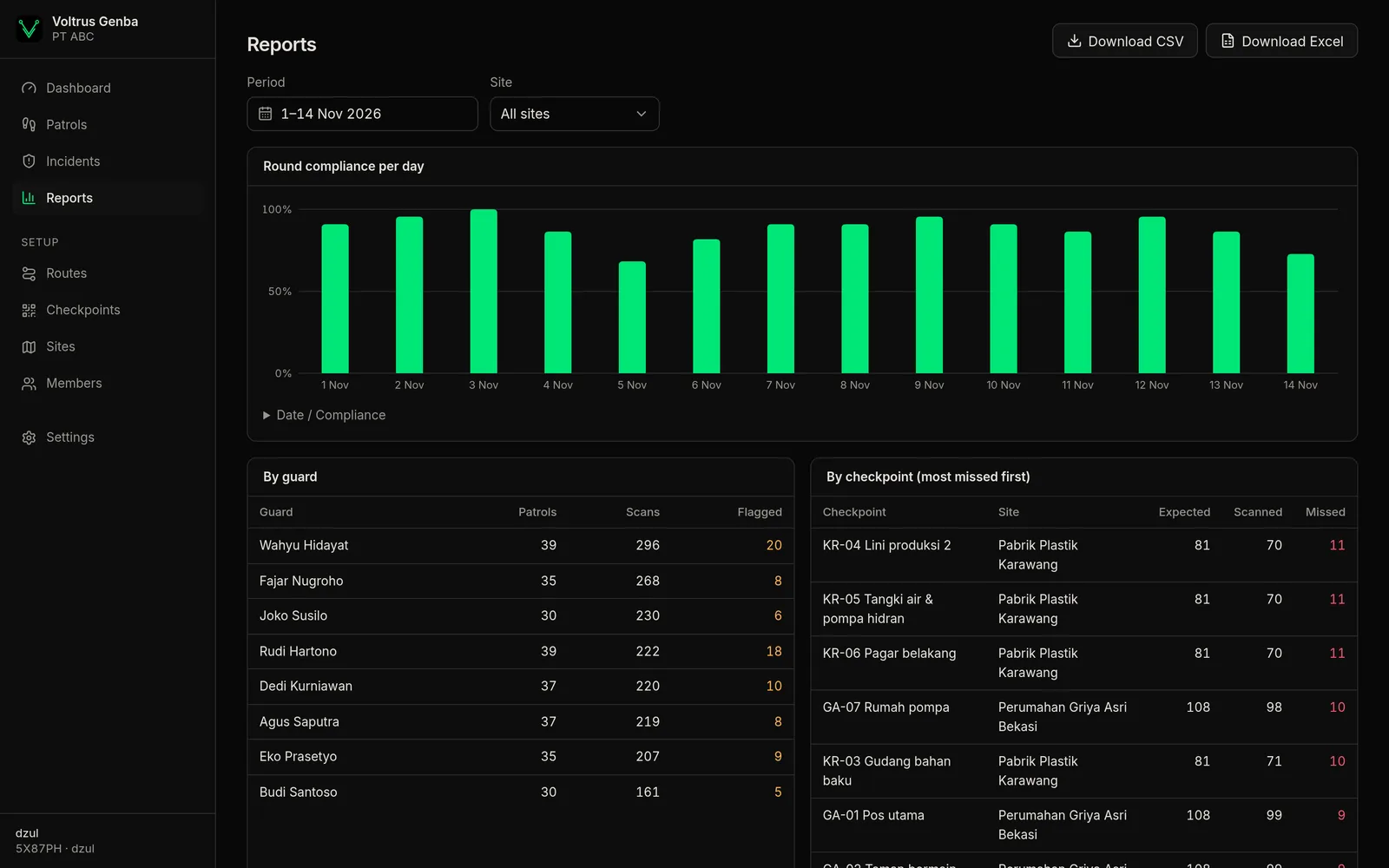
Pick a range of up to 62 days and a site. The report shows compliance per day, patrols and scans per guard, and the checkpoints missed most often. Download it as CSV or Excel.
Setup an admin can do without us
- Three roles: admins manage everything, supervisors monitor and handle routes and NFC tags, guards patrol.
- Guards and supervisors only see the sites they are assigned to.
- A QR label's code can be replaced at any time; the old printed label stops working.
- Ordered or free-order routes, with an adjustable early start.
- Indonesian and English, light and dark themes.
CP-04Who it is for
For places that run a patrol schedule
Security companies
Proof of patrol for each client site, with a report you can send the client every month.
Building and estate managers
Night rounds across several buildings from one console, with a supervisor per building.
Factories and warehouses
Security patrols and routine checks: panels, hydrants, emergency exits, loading bays.
Housing estates
Guard posts and patrol points on every block, including incidents residents report through the guards.
What you need
CP-05FAQ
Do guards need internet while patrolling?
No. The app keeps the schedule and checkpoints on the phone. Scans, photos and reports queue on the phone and are sent in order when there is a connection. Only the first sign-in and NFC tag registration need a connection.
QR or NFC?
QR is the cheapest: print it and stick it up. NFC stands up better to weather and scans faster, but the guard's phone needs NFC. One checkpoint can use both.
What if a guard photographs the QR code and scans it from the guard post?
A QR code can be photographed. That is why the app records the phone's location at scan time, and scans far from the checkpoint are flagged "outside the area" in the console. An NFC sticker fixed in place is harder to move than paper. If a QR label leaks, replace its code from the console.
Are guards tracked during the whole shift?
No. Location is taken only when scanning a checkpoint, reporting an incident or SOS, and when a supervisor registers an NFC tag. There is no background tracking.
What happens when a tag is damaged or lost?
A supervisor can confirm the checkpoint manually with a written reason. Then reprint the QR label or register a new NFC sticker to the same checkpoint.
Is the app on Google Play and the App Store?
Not yet. The Android and iOS apps are being prepared for the stores. Contact us if you want to try them earlier.
How much does it cost?
We have not published prices yet. Message us on WhatsApp or email with the number of sites and guards you have.
Start with one site
Create a workspace in the console, add a few checkpoints, print their labels and run one round tonight. Questions about setup or pricing? We answer on WhatsApp and email.